
Motivation
I teach a database course that uses Oracle APEX for SQL instruction. The sample databases have been thoroughly mined by LLMs, to the point where you can just ask them a question from the homework, and they will generate the correct answer. No coding necessary.
To prevent this, each semester, I create a synthetic database for use in my class. Each database has anomalies built in that they will need to run queries to identify.
Spring 2026
Overview
This program creates three SQL Tables: users, transactions, and access_logs. They simulate a database of a financial institution, where users log on and complete transactions. Students must then identify brute-force attacks and suspicious or possibly fraudulent transactions.
The text file is then uploaded to APEX by the students.
Users table
Using Faker, random people are created with an email address, a join date, and one of three account tiers: Basic (70%), Premium (20%), and Enterprise (10%).
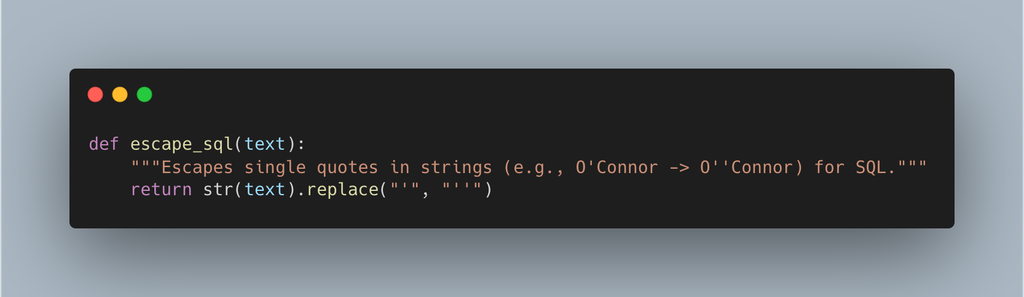
Faker sometimes includes apostrophes in names, such as O’Connor, which will cause an error if not properly escaped.
transactions table
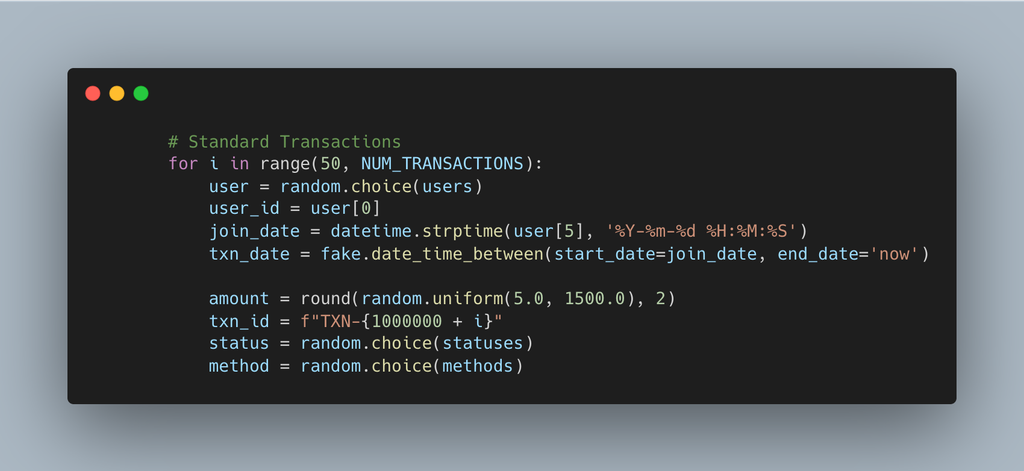
The transactions table selects a user at random, then creates a transaction log for that user, randomly selecting from a status (‘Completed’, ‘Completed’, ‘Completed’, ‘Pending’, ‘Failed’, ‘Refunded’) and a method (‘Credit Card’, ‘Debit Card’, ‘PayPal’, ‘Bank Transfer’, ‘Crypto’).
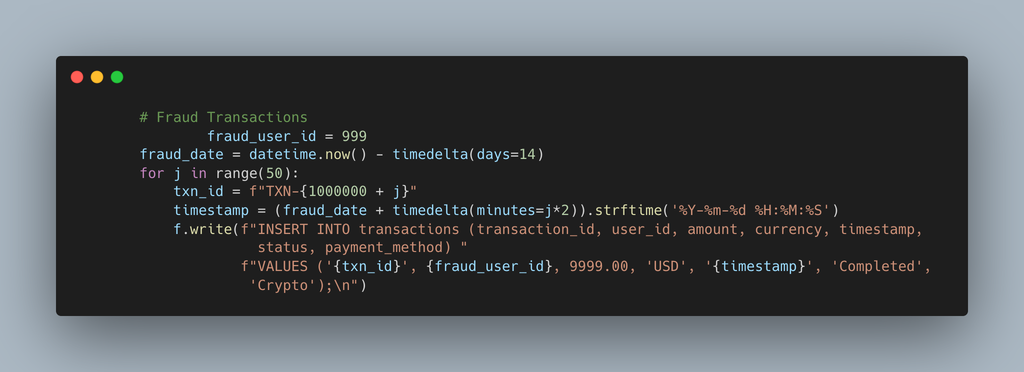
The first 50 transactions are part of the fraud anomaly, just under the $10,000 reporting threshold and using crypto.
Access_Logs table
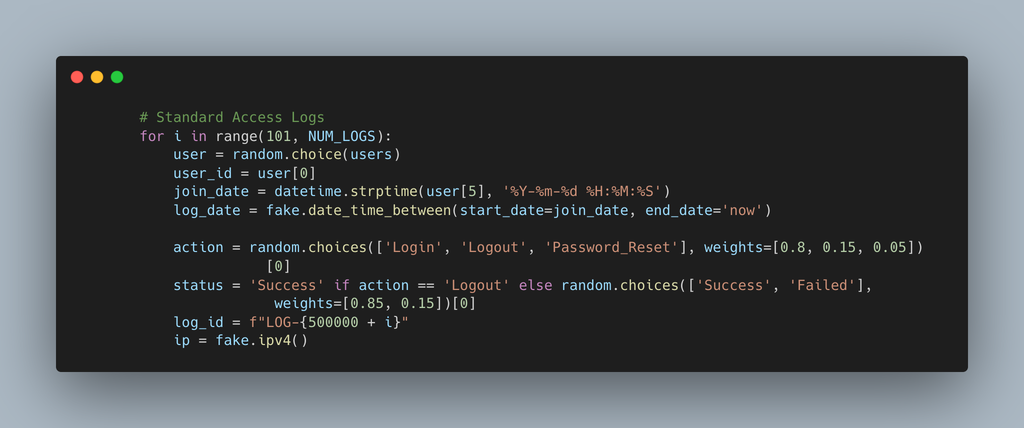
Users are selected at random, then given an action (‘Login’, ‘Logout’, ‘Password_Reset’) and a status (‘Success’, ‘Failed’). Fake IP addresses and random times are also used.
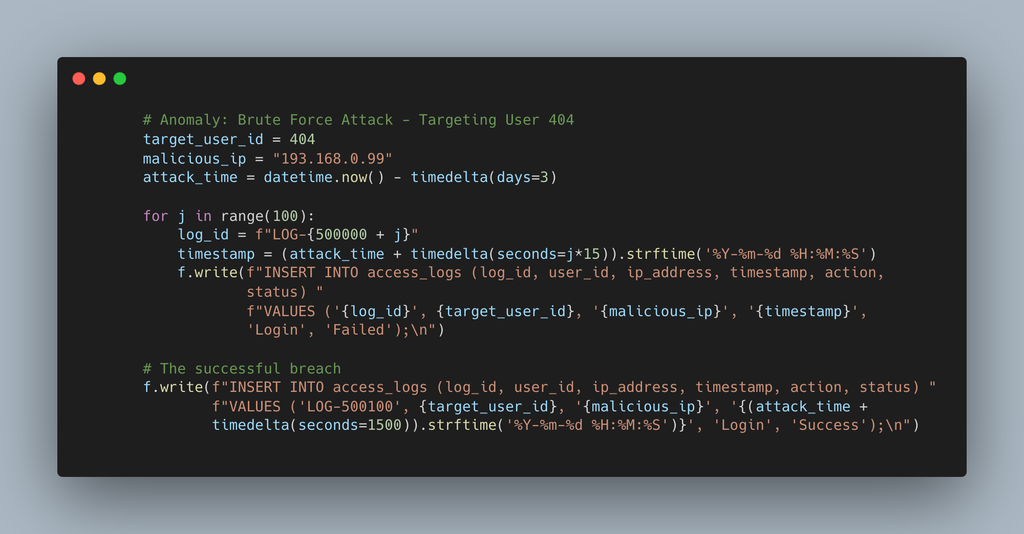
A brute force attack is inserted into the data, and after 99 unsuccessful login attempts, the attack is successful.
Possible questions
- Determine which user tiers drive the most revenue.
- Find users with an unusually high volume of transactions near $10,000.
- Detect brute-force attacks by grouping failed logins by IP address.
- Verify if the brute-force attack resulted in a successful breach.
- Flag users logging in from an unusually high number of distinct IP addresses.
- Find large completed transactions that occurred shortly after a password reset.